Give your AI agent what your team already knows. Get back what it did, what it learned, and what you need to decide.
DM prepares the context that applies to each task, and turns what your agent learned into a short proposal you review. Approve it once, and the next task can start from it.
- Cursor
- Claude Code
- GitHub Copilot CLI
- Any MCP client
MCP setup paths for Cursor, Claude Code and GitHub Copilot CLI; any MCP client can connect.
You explained it to your agent yesterday. Explain it again.
Context leaks in both directions: what you know does not reach the agent, and what the agent learns does not come back.
Every session starts cold.
- You re-explain the architecture, constraints and earlier decisions every session.
- You paste old context into prompts, then correct the agent for what it still missed.
- Switching between Cursor, Claude Code and Copilot CLI starts each one from scratch.
Every session ends in a wall of text.
- The agent finishes with a long report you have to read, summarize and remember.
- What it learned stays in that session. The next task does not benefit.
- Useful decisions made along the way never reach the rest of the team.
Task 1 teaches. You review. Task 2 starts smarter.
Prepare → work → return → review → reuse. Your agent does the work in your own tools; DM handles what goes in and what comes back.
- 01 · Before the task
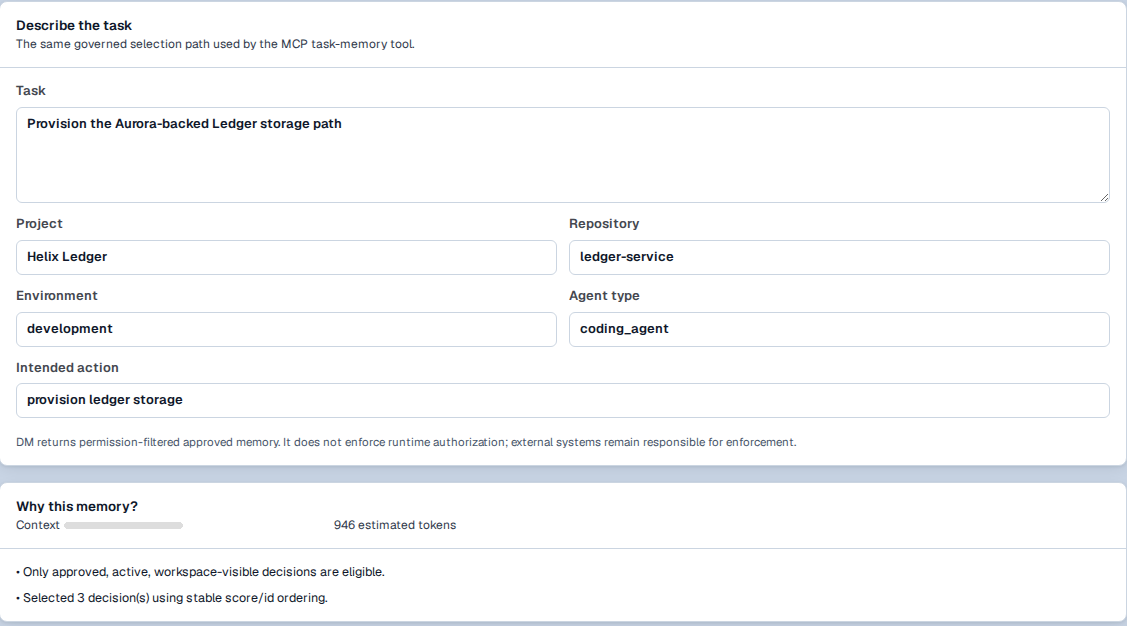
Your agent asks DM what applies.
Over MCP, the agent calls
dm.prepare_task_memorywith the task, project, repository, environment and agent type. DM returns the approved Decisions, Rules and Skills that apply — within a token budget, with the reasons.DM returns permission-filtered context. It does not intercept or block actions in your tools.
- 02 · After the task
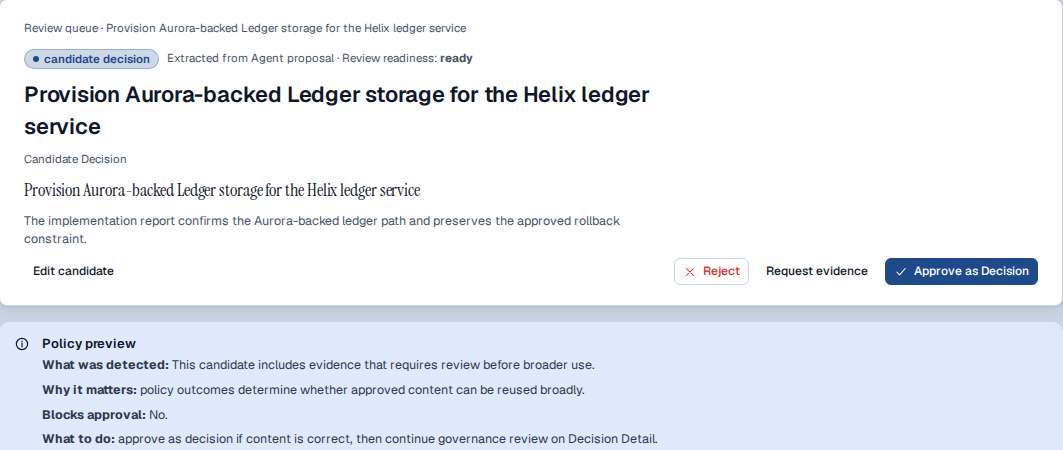
What it learned comes back as a proposal.
The agent submits a structured update with
dm.submit_memory_update: a summary, which context it applied, proposed Rules or Decisions, deviations and evidence links. It lands in review. It is not approved.// illustrative values task_reference: "ledger-storage-path" summary: "Provisioned the Aurora-backed path; kept rollback" applied_decision_ids: [ … ] proposed_rules: [ "Ledger writes go through the storage adapter" ] deviations_or_exceptions: [ … ] evidence_links: [ "PR …", "test run …" ]
- 03 · Review
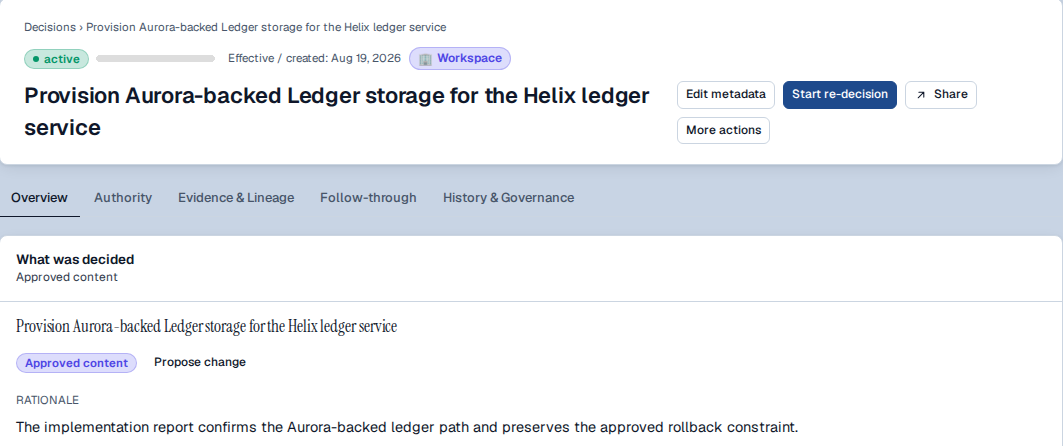
You decide what becomes trusted.
Approve, edit, reject, or ask for evidence. Approval is a human action — it can never be granted to an agent. Approved knowledge becomes active and workspace-scoped, with rationale and history attached.
- 04 · The next task
Task 2 can start from what you approved.
The next
dm.prepare_task_memorycall can include the knowledge you approved after task 1 — so you stop re-explaining it. The prepare → write-back → approval → next-prepare path is built and covered by automated tests.Honest status: today your agent calls DM through its MCP connection. Making the return path automatic at task boundaries in every client, and condensing very long agent reports, is what we are hardening now.


Connect the agents you already use — and decide what each one may do.
Creating an agent in DM grants nothing. You choose its actions — such as preparing task context or submitting updates for review — and you can revoke them.
- MCP setup paths for Cursor, Claude Code and GitHub Copilot CLI, plus generic MCP clients.
- Approved context can also be written into AGENTS.md, CLAUDE.md or Cursor rules, so instruction files become an output instead of something you maintain by hand.
- Only approved, in-scope knowledge reaches an agent.

Coding agents are where the gap is most visible, so this is where we start. DM itself is shared context for human + AI teams — the same loop works when a teammate, not an agent, picks up the work. How DM works for teams →
Bring one recurring agent task. We'll set up the rest with you.
Pick a task your agent does again and again. We connect DM, run it twice, and you see whether task 2 starts smarter than task 1. Individual use starts on DM Free during early access.